App Dev · · 3 min read
NetLay: A manual made of screenshots
Twenty posts of features and no way for a colleague to find any of them, so the app grew a guide, with pictures taken by a script so they cannot quietly go stale.
Twenty posts of features nobody can find#
NetLay can trace a path through a patch panel, walk a switch over SNMP and route a cable round a cabinet. None of that is any use to somebody who has just been handed it and is looking at an empty map.
So it has a guide in it now, reachable from the toolbar, from F1, from the question mark key, and from a link on the empty map for the person who has not found the toolbar yet.
Why in the app rather than a wiki.#
This was the only real decision in the whole piece of work, and it took about a minute.
The person who needs to know how to add a bend to a cable is looking at the cable. They are not going to open a browser tab, find the right wiki, search it, and come back. Documentation that lives somewhere else is documentation for the person who is already comfortable, and the person who is already comfortable does not need it.
So it is in the app, with a search box that filters topics by title and keyword, and every picture enlarges when you click it. Eleven topics, covering building a first map, moving around, devices and VLANs and status, VMs and wireless clients, cables and bends, groups, DHCP devices, photos, troubleshooting, filling the map automatically, and exporting and sharing.
Pictures taken by a script.#
Here is the part I am pleased with, and it came straight out of the sense check two posts ago.
Screenshots in documentation rot faster than the words do. A button moves, a panel gets a new field, and the picture is now subtly wrong in a way that makes a confused person more confused.
So no human takes these. There is a script that starts a throwaway server on a spare port with an empty data folder, creates an account through the real first run form, seeds a small demo office through the API, then drives a headless browser round the application taking the lot. Menus, the sidebar tree, a cabinet, the inspector, host and group cards, search, every dialog, straight and pinned and automatic cable routing, the photo viewer.
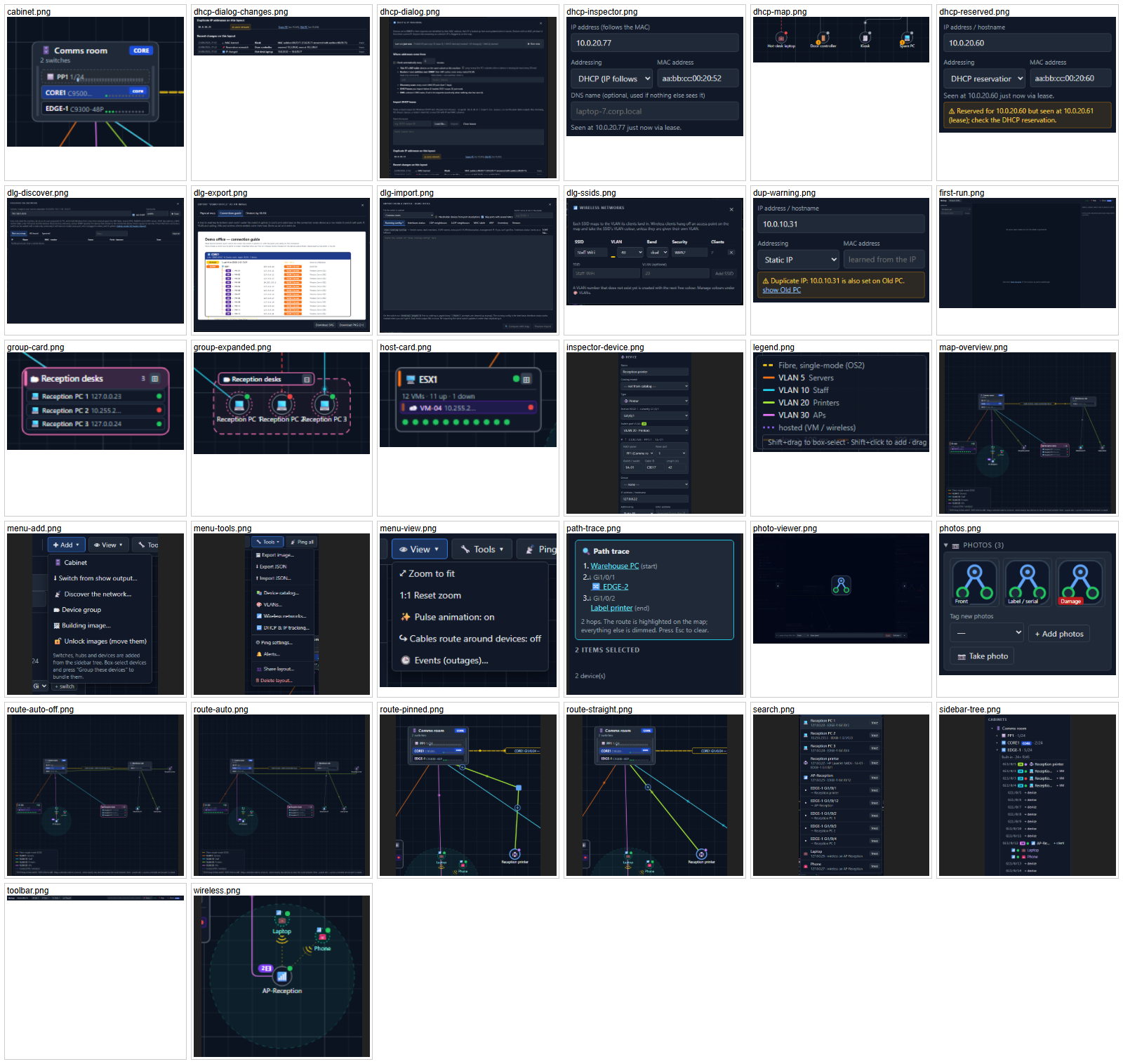
The crops come from the bounding boxes of real elements rather than fixed pixel coordinates, so a dialog growing a field does not slice the picture in half. When the screens change, the script runs again and all of them are current.
There is exactly one drawn illustration in there, a small diagram of the bend handles, because a gesture is a thing you demonstrate rather than photograph. A still picture of a drag is just a cursor sitting on a line.
What capturing found.#
As with the sense check, the act of taking the pictures found bugs.
Escape did not close the photo viewer if your cursor happened to be in a text box, because the key handler bailed out early whenever focus was in an input. That is sensible for most shortcuts and wrong for a full screen viewer, so Escape always closes it now while the arrow keys still behave themselves when you are typing a caption.
And the first contact sheet had two blank pictures on it. The script had searched for a printer earlier in the run, which panned the map, so by the time it got round to photographing the VM card and the wireless clients they were off the side of the screen. The fix was to zoom to fit before those shots, and then re-capture all twenty five.
A blank picture in a contact sheet is extremely obvious. The same blank picture in a help topic that nobody has opened yet is invisible for months.
One happy accident: selecting exactly two devices triggers a path trace, so when the script box-selected two warehouse devices to photograph a selection it produced a perfect troubleshooting picture instead, which is now the one in the guide.
Next time, finding out what the model refuses to let you do, which turned out to be less than I thought.